POS orderTable 12
Margherita Pizza$14.00Fresh Lemonade$4.50Service charge$1.85
Order #1048$20.35
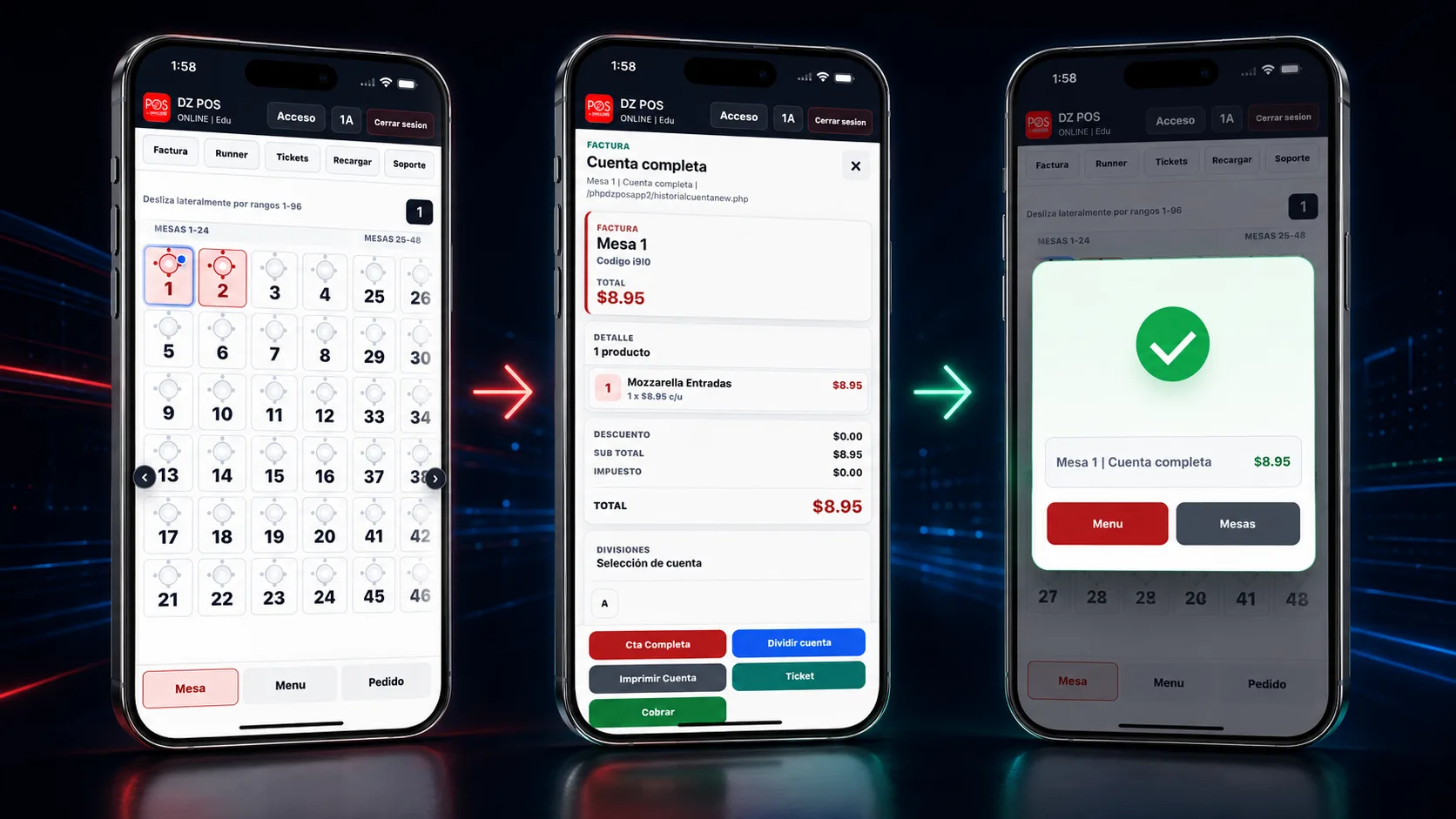
Product screens
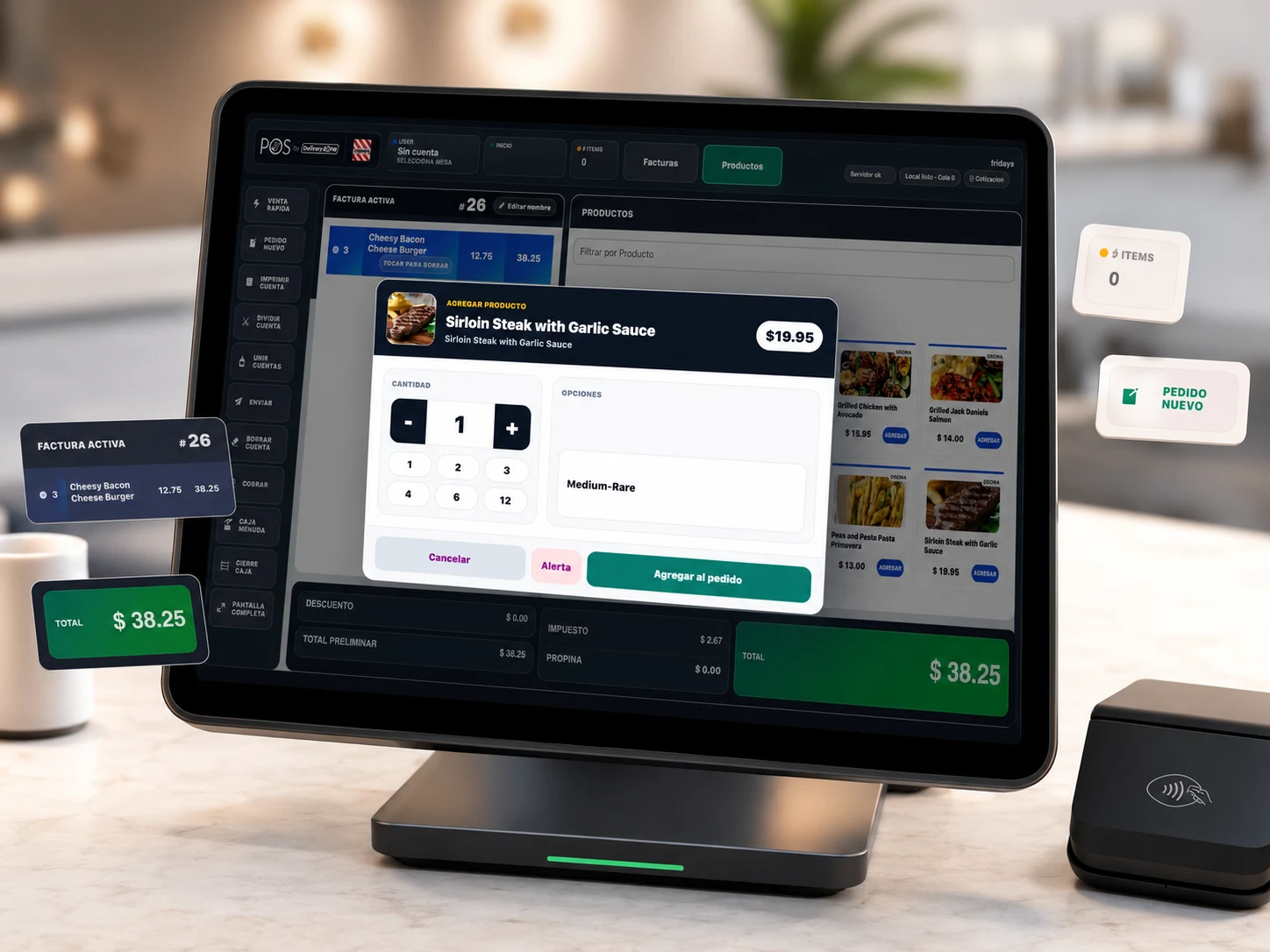
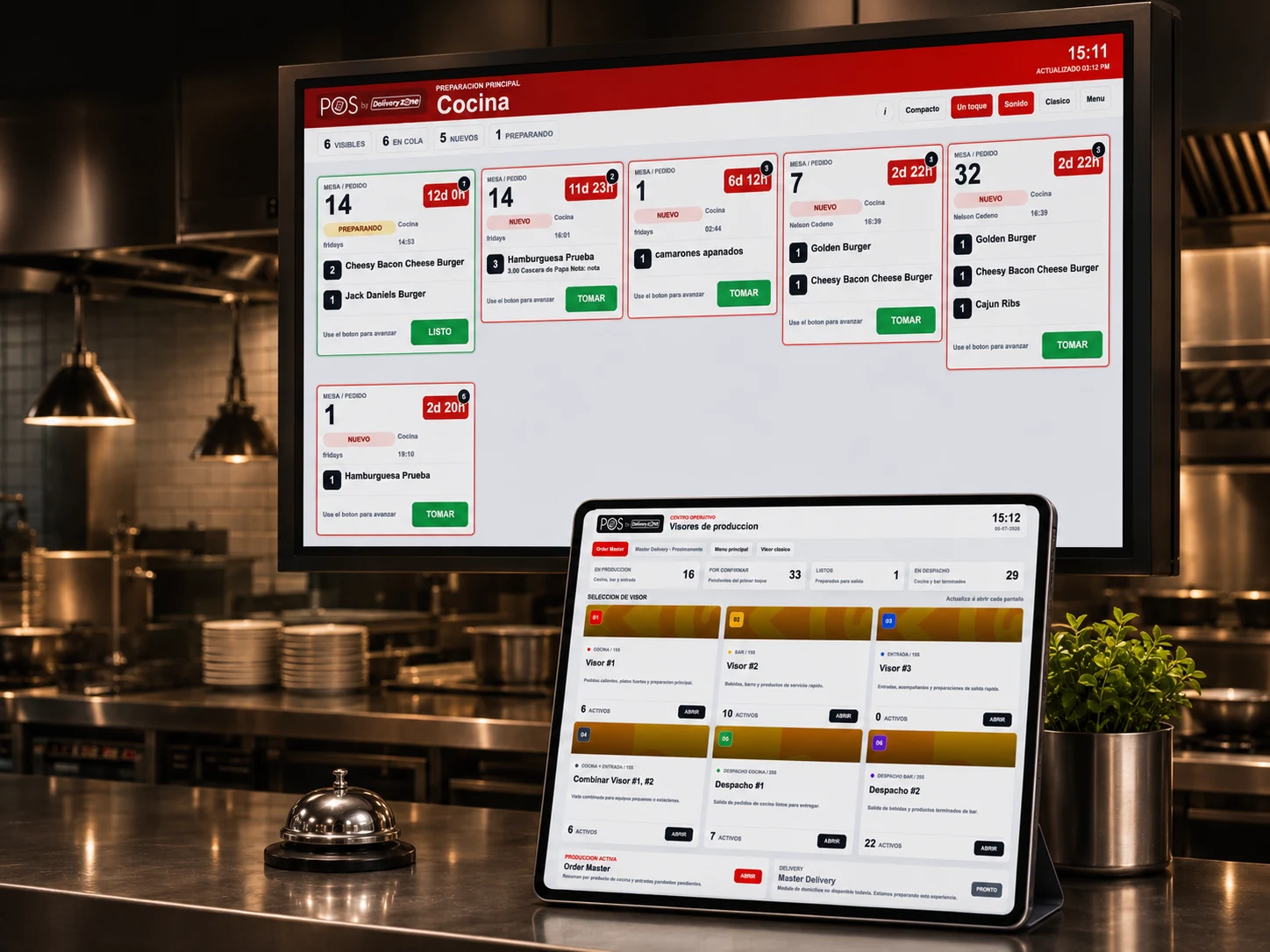
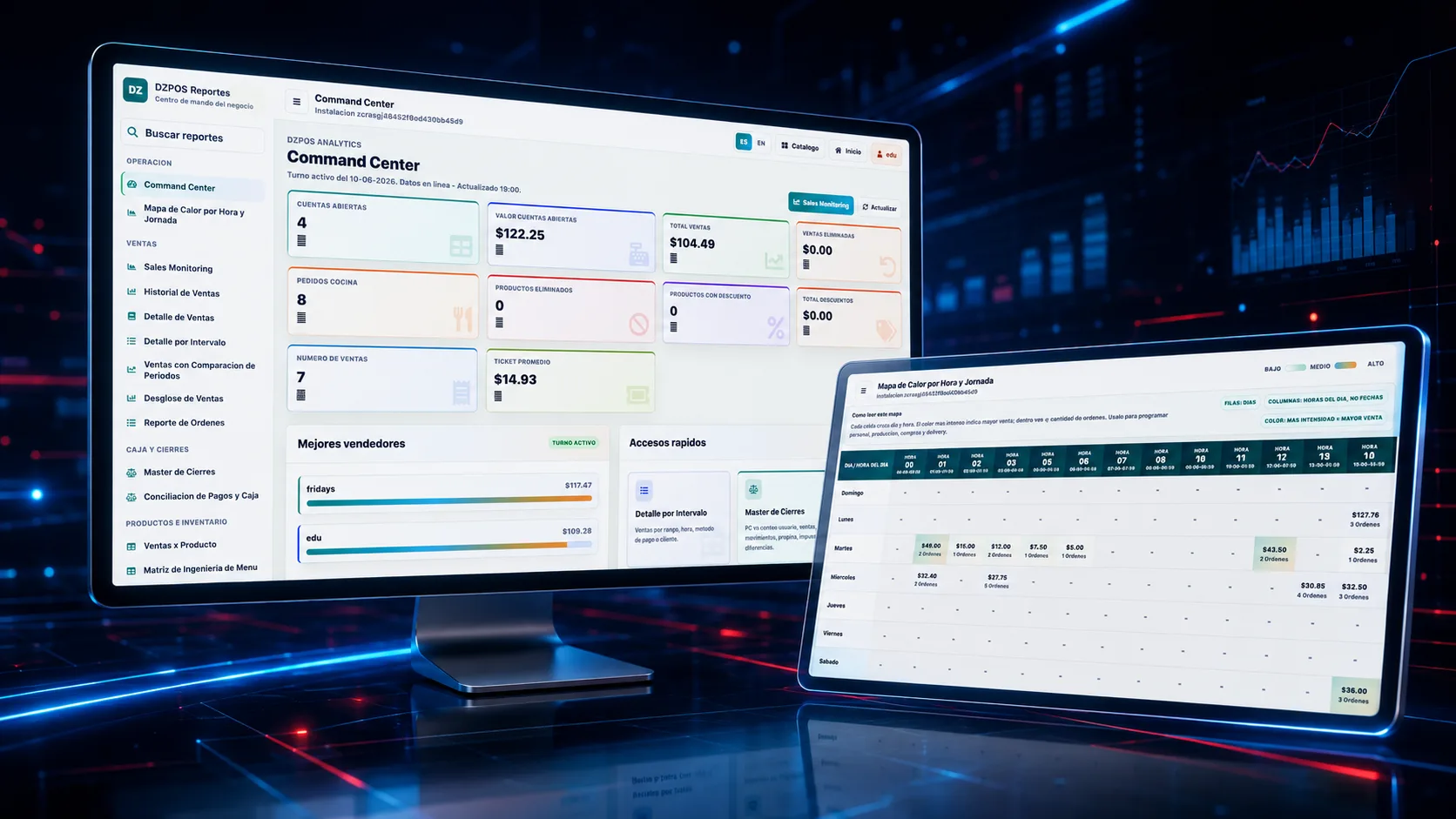
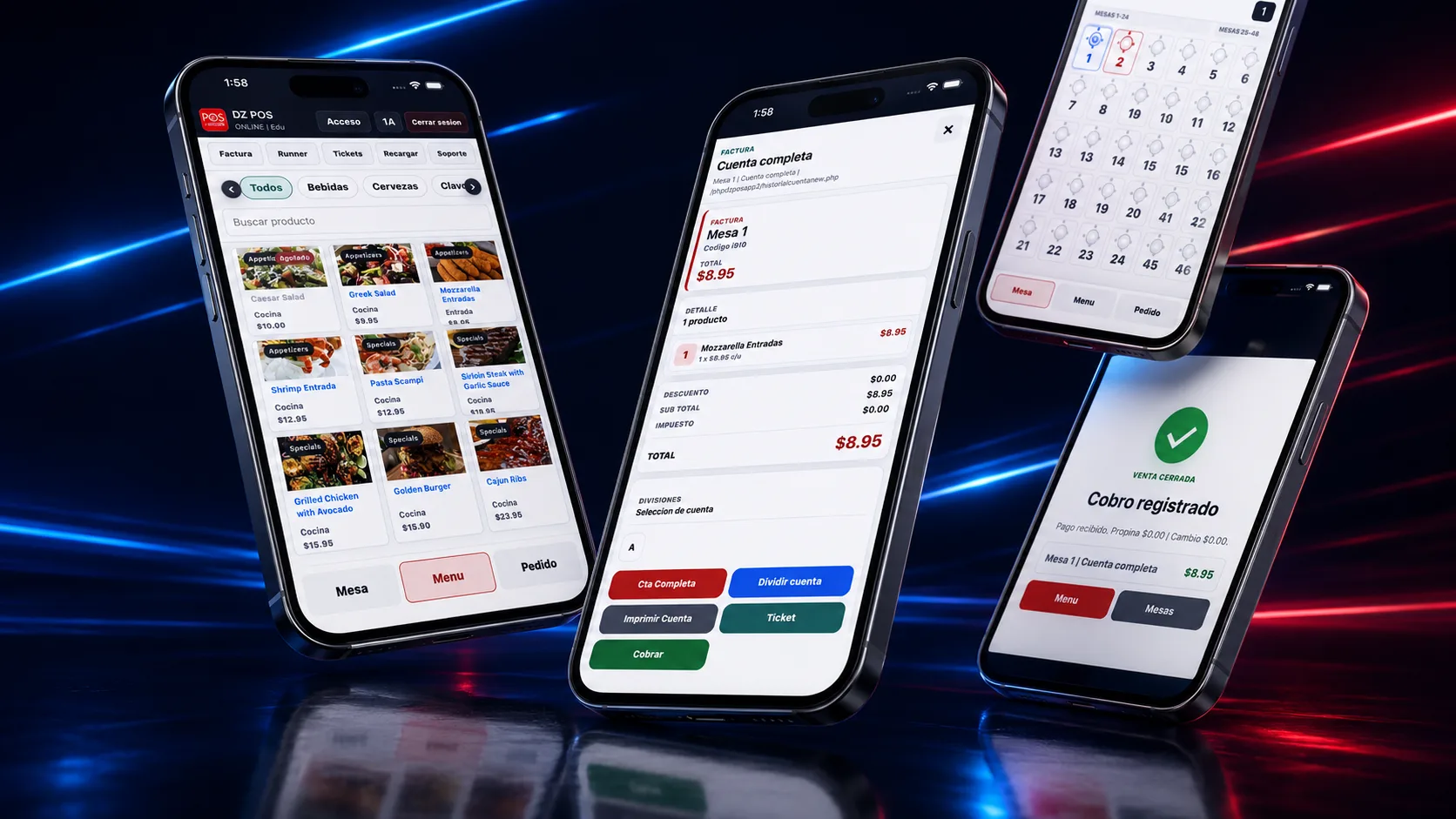
Review clean DeliveryZone POS interface examples for order entry, kitchen preparation, delivery tracking, menu control, and real-time reporting.
Clean demo data keeps the product easy to evaluate without exposing private or internal information.
Ticket routed to Central Kitchen with modifiers visible.
Downtown Burgers order moving from dispatch to completion.
Sales, items, customers, and locations in one view.
Workflow library
These frames make the operating model easy to inspect without exposing internal IDs, usernames, or messy sample data.
Demo planning
Review categories, modifiers, discounts, taxes, tips, payments, and receipts.
Review kitchen tickets, routing, preparation status, and handoff details.
Review dispatch, driver assignment, customer updates, and completion status.
Book a Demo
During your demo, we will walk through real DeliveryZone POS screens and map the setup to your restaurant’s service model, locations, devices, staff roles, and ordering channels.
No pressure, no spam.
Use the form for the cleanest sales handoff, or contact the team directly.
consultas@deliveryzone.netWhatsApp +507 6555 6085Ready when you are
See how DeliveryZone POS can help your team sell faster, reduce order mistakes, manage delivery, and grow repeat customers.